
Encrypted rooms · Peer to peer · Invite only
Your match.
Your people. Your peers.
Choose a signed fixture, create an encrypted Pear room, and invite the people you want beside you. Messages, polls, replies, and reactions replicate directly between members.
Why FullTime
Private match chat without a central room database.
Peer to peer
Room history replicates between members through Hyperswarm and Autobase. There is no central chat database in the message path.
Invite controlled
Blind pairing admits a signed peer writer. Revoked invites stop new joins, and creator controls govern membership and slow mode.
Built for the match
Choose a fixture from the signed feed, then keep its conversation, polls, reactions, replies, and member list together in one private room.
The room in action
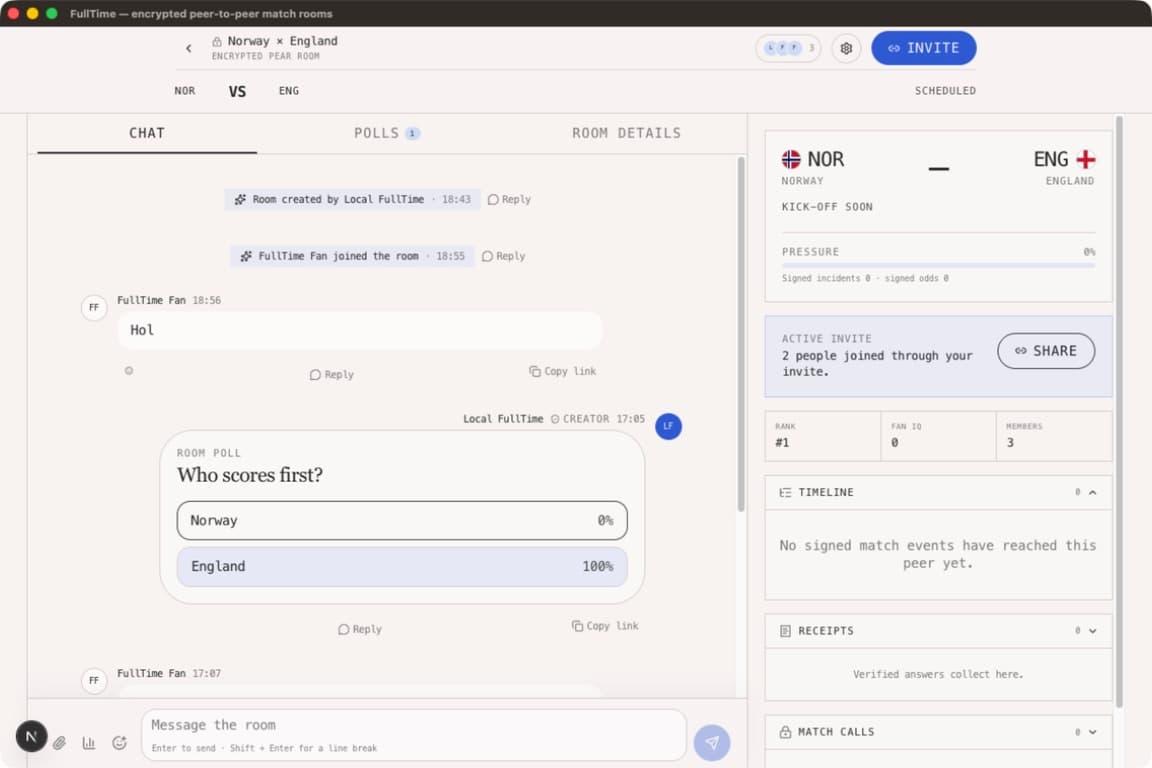
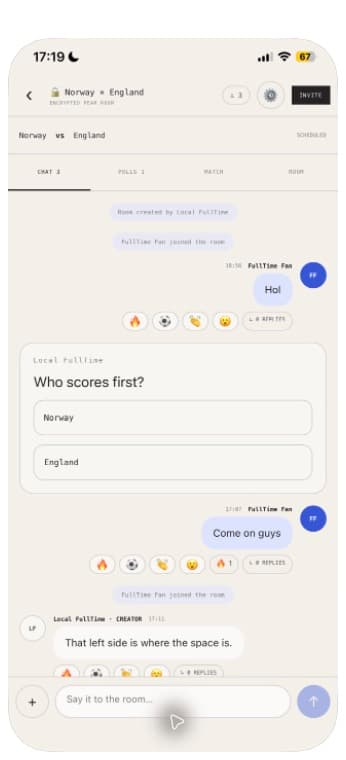
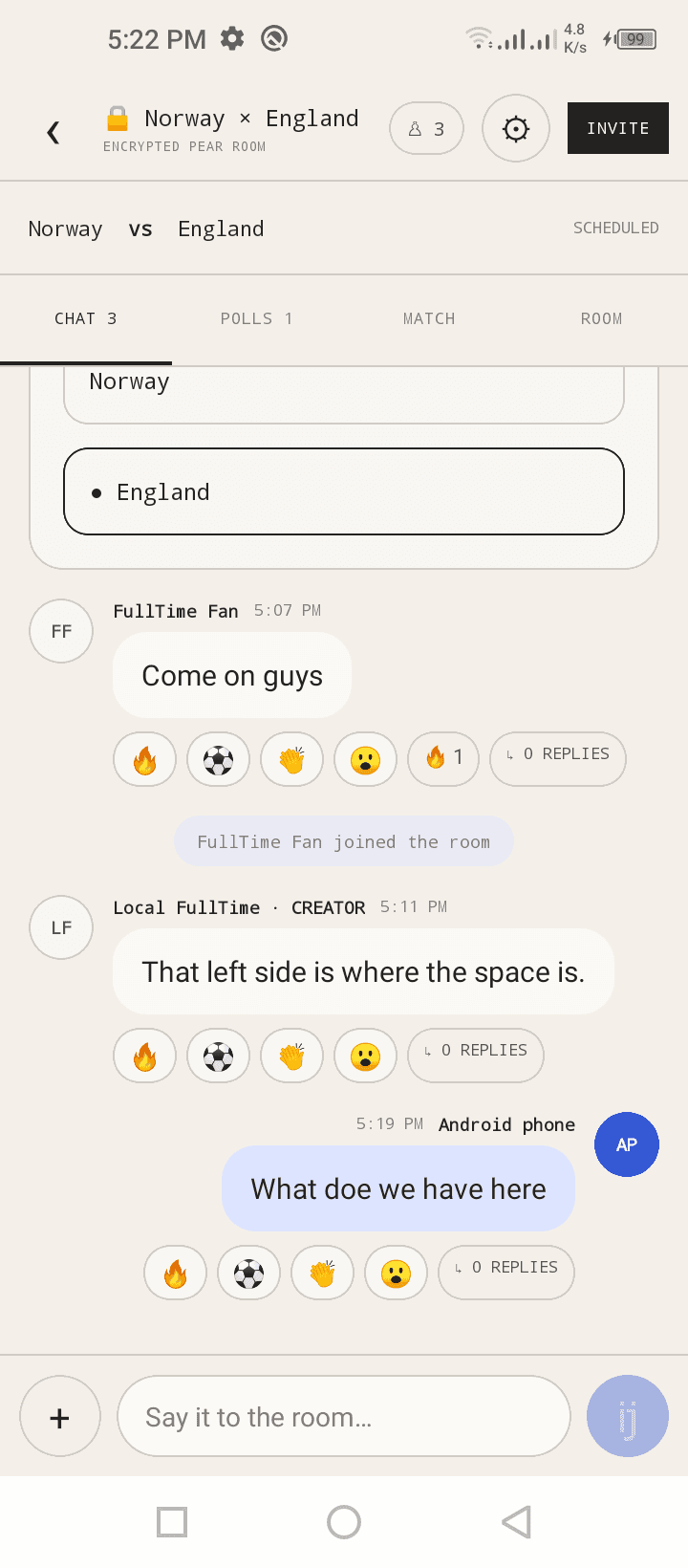
One encrypted room. Every screen.
A real Norway–England room replicated across three admitted peers—with durable chat, a room poll, votes, and reactions visible on desktop, iPhone, and Android.
One loop, start to finish
Pick, create, invite, chat.

01
Pick
Choose a fixture from the signed fixture feed.
02
Create
Name the room and create your local peer identity.
03
Invite
Share the signed invite link or QR code.
04
Chat
Messages, polls, replies, and reactions sync across peers.
Get FullTime
Your room starts on your device.
Install FullTime to create a peer identity, keep encrypted room history locally, and connect directly with the people you invite.
Desktop
Run your Pear room worker and encrypted room history on your computer.
Mac App Store version coming soon.
Download desktop appAndroid
Bring the same encrypted room, polls, and reactions to Android.
Google Play version coming soon.
Download Android appiPhone
Build the native app with Xcode using your own Apple signing team.
App Store version coming soon.
Build from sourceQuestions
The honest answers.
Each room is an encrypted Autobase replicated through Corestore. Members exchange the room data over Hyperswarm instead of posting it to a central chat database.